Blue Wizard Digital designed Football Bros to capture the snappy energy of retro sports titles with simplified mechanics, browser accessibility, and competitive head-to-head gridiron matchups.
Football Bros boils the gridiron down to one button and a lot of timing. You snap the ball, read the field, and make a call in a heartbeat. Blue Wizard Digital built this 2024 arcade sports title around quick drives, tight tackles, and a rivalry feel that comes from head-to-head play.
One action key handles your passes, dives, tackles, and stiff arms. That keeps your eyes on the field and your mind on spacing.
You can play Football Bros online right here, solo or with a friend on the same keyboard. Start playing Football Bros now and see how fast a drive can turn.
Mastering Football Bros Offensive Controls
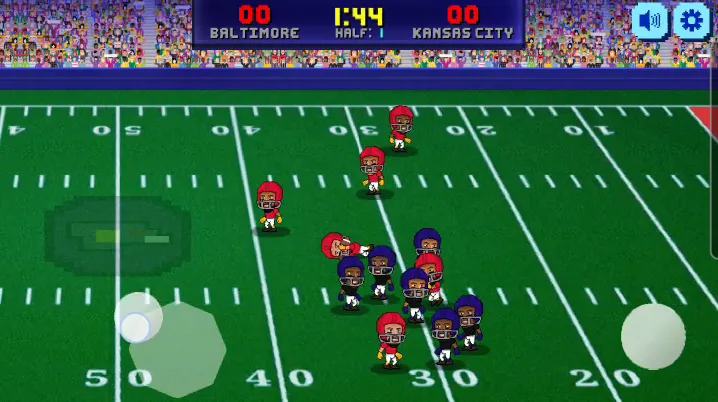
The translucent control at the bottom left moves the player, while the round button at the bottom right is used for passing, diving, or stiff-arming.
Executing Passes and Rushing Lanes
On a solo run, the Arrow Keys move your player. Left Click picks your mode from the menu. Once the ball is live, everything else comes down to one action key.
That key changes its job based on possession. With the ball in your hands, it throws a pass or stiff-arms a defender. Without it, the same key dives or tackles. You never hunt for a second button, so your timing does the work.
Rushing lanes matter as much as throws. Watch how defenders close the gap before you commit. A pass into a crowded spot ends drives fast. A short run into open grass keeps the chains moving.
Try this rhythm. Move first, read the nearest defender, then press the action key only when the picture is clear. Rushing too early wastes your best window. Patience pays off in a game this quick.
Breaking Tackles with the Stiff Arm
The stiff arm lives on the same action key as your pass. Which one you get depends on where the defender stands. Close pressure points toward the stiff arm. Open space and a free teammate point toward the throw.
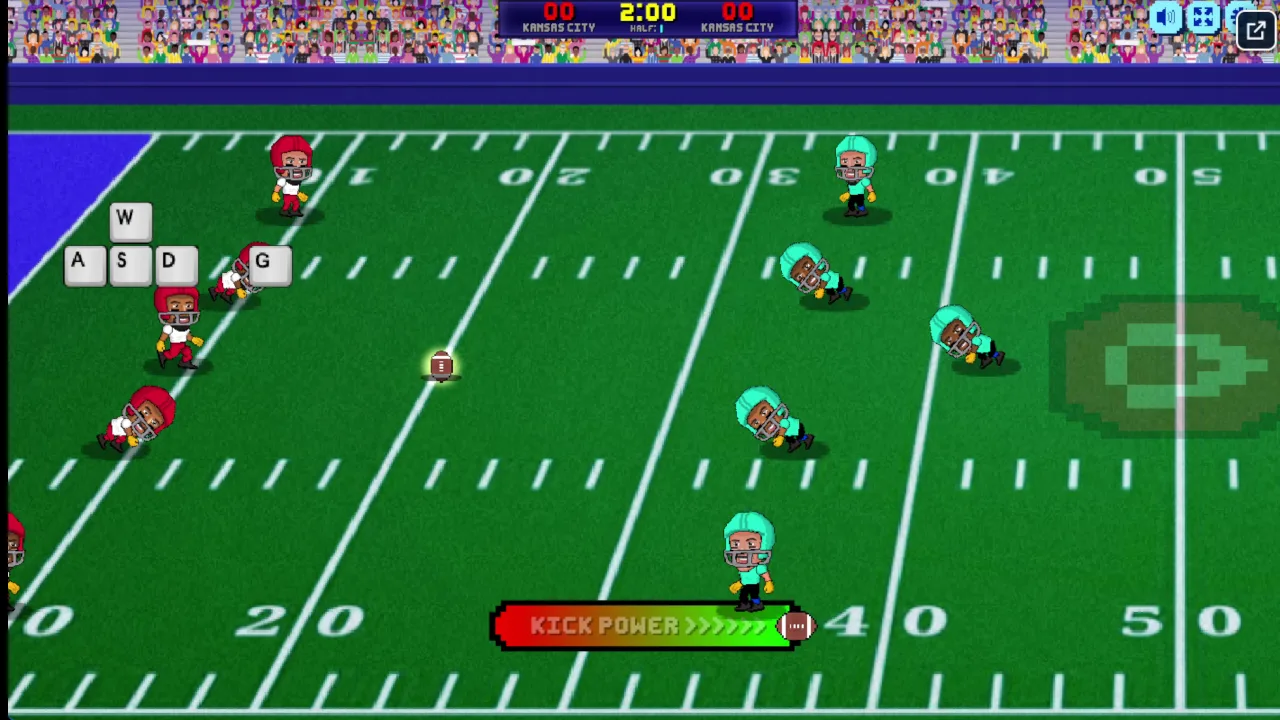
The on-screen overlay shows W, A, S, D and G keys, and G is listed as the pass, dive, or stiff arm key in 2-player mode.
Hold the stiff arm until a tackler is almost on you. Fire it too soon and you lose the moment. Fire it late and you take the hit. Practice in a few Quick Play drives until the distance feels natural.
Defensive Tactics and Ball Tracking
Timing Dives for Key Stops
When the other side has the ball, the action key becomes your tackle and your dive. Where you stand relative to the ball carrier decides which one fires. Close in, and you wrap up. Farther out, you launch into a dive.
Dives are a gamble. A well-timed one ends a run on the spot. A mistimed one leaves you sprawled on the grass while the carrier jogs past. Wait until the runner commits to a direction, then go.
Plug the lane first, then react. Slide to cut off the straight path to the end zone. Let the carrier choose a side, and finish the play with your key press. Chasing from behind rarely works because the offense simply outruns you.
Keep your eyes on the ball, not on the player's feet. Fakes and stiff arms change the picture quickly. The ball tells you where the play is really headed.
Turnovers and Down Management
Every stop matters because it hands your offense the ball back. Think about down and field position when you defend. A tackle that keeps the runner short of the sticks forces a hard choice on the next play. Drive carriers toward the sideline when you can, since limited space shrinks their options and protects your field position.
Football Bros Game Modes and Seasons
Quick Play Drives
Quick Play is your scrimmage. Pick it from the menu with a Left Click and you are on the field in seconds. It suits short sessions and is the best place to learn how the single action key behaves.
Use these drives as a lab. Test how close a defender must be before the stiff arm fires. Try diving at different distances. Run a few passing plays and notice how the field opens or closes.
Because each game stands alone, you can experiment without risk. Lose a drive, shrug, and try a new approach. That freedom builds the reads you will need when the stakes rise.
The Super Bro Bowl in Franchise Mode
Franchise Mode is the long road. You face opposing squads one after another up a season ladder, and the final rung is the championship game, the Super Bro Bowl. Each win moves you closer to the trophy.
This mode tests both sides of your game. You need to convert on offense and make stands on defense. Skills from Quick Play carry over directly, so use that mode to sharpen your timing first.
Local Matchups and Same-Device Play
Two-Player Keyboard Split
Football Bros supports head-to-head play on one keyboard. Player 1 moves with W, A, S, and D, and uses G for the action key. Player 2 moves with the Arrow Keys and uses L for the action key.
The split keeps both players on their own side of the keyboard, so hands stay out of each other's way. Agree on who sits where before kickoff. Left-handed players may want the Arrow Keys and L.
Remember that G and L do the same flexible job as the solo action key. They pass, dive, tackle, or stiff-arm depending on possession and distance. The rivalry comes from reading each other's habits as the game goes on.
Mobile Interface Differences
Try Football Bros here on either device and see which control style fits you.
Scoring Drives and Clock Management
Evaluating Field Position
Where you start a drive shapes how you play it. Deep in your own territory, take the safe route and avoid risky throws that could be picked off. Near midfield, you can mix in a pass to stretch the defense. Close to the goal line, the field is short, so a stiff arm and a rush often beat a throw into crowds.
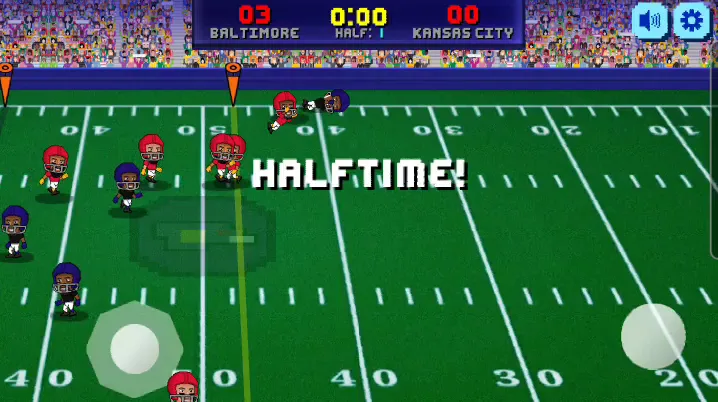
The HALFTIME banner sits over the field, and the scoreboard shows Baltimore at 03 and Kansas City at 00 in Half 1.
Ask one question before each snap: what is the cost of failure here? That answer picks your play.
Endgame Execution
With a lead late, favor runs that keep you moving and protect the ball. When trailing, accept a bit more risk and look for quick throws to open space. Either way, a touchdown is the cleanest way to end the argument. Stay calm, use your action key with purpose, and finish the drive.
Fast-paced arcade football simulation featuring quick snaps and dynamic plays
Multi-purpose action key handling passing, diving, tackling, and stiff-arming
Franchise Mode campaign competing for the Super Bro Bowl trophy
Split-keyboard local multiplayer support for head-to-head competition
Touch-optimized single-player interface for browser and mobile gameplay
How to Play Football Bros
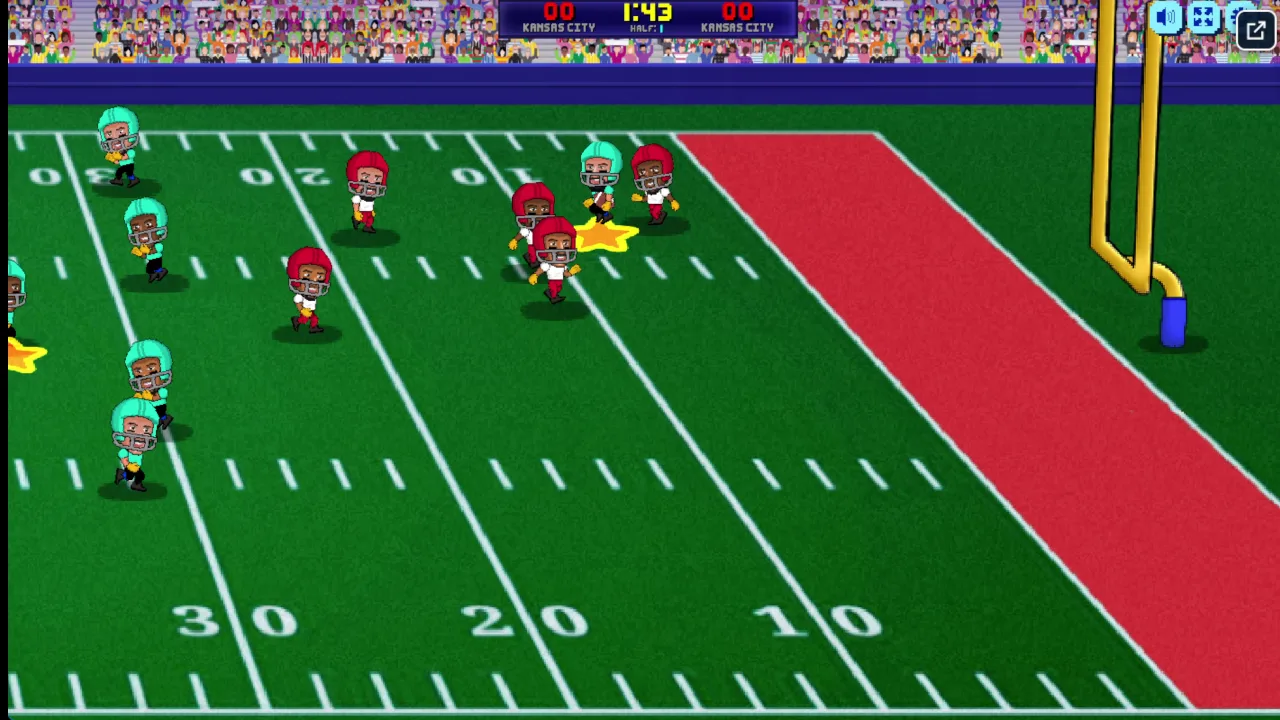
The top scoreboard shows 00 for both sides, a 1:43 timer, and the HALF 1 label.
Step 1: Use the game controls
Use Arrow Keys to move Player 1 or solo player. Use WASD to move Player 1 in same-device mode. Use G to pass, dive, or stiff arm in 2-player. Use Arrow Keys to move Player 2 in same-device mode.
Step 2: Select Your Mode
Choose between Quick Play, Franchise Mode, or 2 Player from the home menu.
Step 3: Pick Your Squad
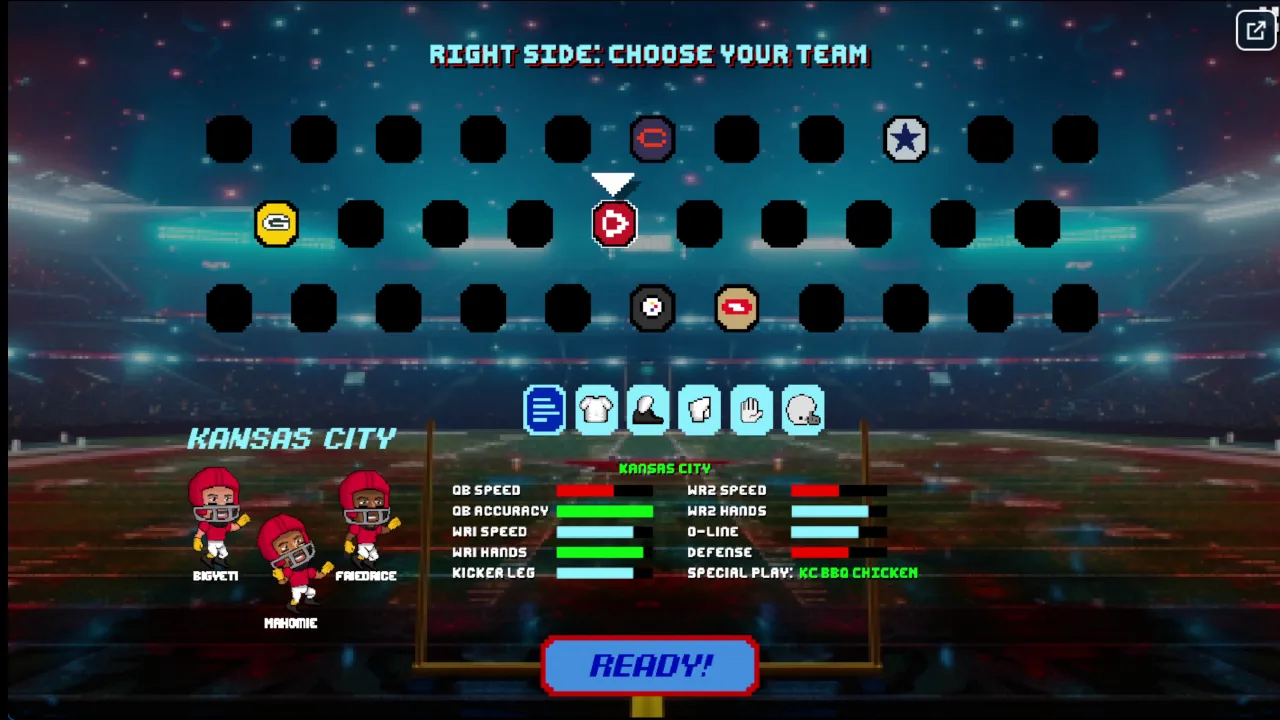
Browse the team selector and lock in your roster for the matchup.
Step 4: Call the Snap
Review the offensive formation, hike the ball, and survey the defense downfield.
Step 5: Advance the Chains
Thread passes to open receivers or trigger stiff-arms to slip through crashing tacklers.
Step 6: Lock Down on Defense
Pursue the ball carrier and dive at the right split second to prevent explosive touchdowns.
Some grid slots hold team badges, while most remain empty dark octagons, so the visible choices cover only part of the grid.
Football Bros FAQs
What are the basic controls for Football Bros?
Browser keyboard: Arrow Keys — move player 1 or solo player; WASD — move player 1 in same-device mode; G — pass, dive, or stiff arm in 2-player; Arrow Keys — move player 2 in same-device mode; L — pass, dive, or stiff arm in 2-player. Browser mouse: Left Click — select menu options and start a mode. Mobile: Drag left-bottom — move; Tap right-bottom icon — pass, dive, or stiff arm.
Can I play Football Bros on mobile devices?
Yes. Football Bros runs in your phone or tablet browser, and it has touch controls. There is also a mobile app.
Do I need to download Football Bros?
No. Football Bros runs in your browser on this page, with nothing to download or install.
Who made Football Bros?
Football Bros was created and published by Blue Wizard Digital, the development studio behind other fast-paced arcade sports titles.
Does Football Bros have a website?
Football Bros is made by Blue Wizard Digital. You can play it free right here on footballbros.lol, directly in your web browser with no download.
Is Football Bros on the App Store?
Yes, an official mobile edition of Football Bros is published on the Apple App Store for compatible iOS devices.
Conclusion
Football Bros delivers fast, approachable arcade football built around one smart idea: a single contextual action key that handles passing, diving, tackling, and stiff-arming. With no cluttered button schemes, every play comes down to timing and awareness of where your players are on the field.
Franchise Mode adds real staying power, taking you through a season ladder of matchups all the way to the Super Bro Bowl final. Play solo or head-to-head on the same device, using the keyboard on a computer or simple drag and tap controls on mobile. Ready to hit the field? Start playing right here, right now.
Football Bros Game Image
Game Controls
Arrow Keys
Move Player 1 or solo player
WASD
Move Player 1 in same-device mode
G
Pass, dive, or stiff arm in 2-player
Arrow Keys
Move Player 2 in same-device mode
L
Pass, dive, or stiff arm in 2-player
Left Click
Select menu options and start a mode
Drag left-bottom
Move
Tap right-bottom icon
Pass, dive, or stiff arm
No comments yet. Be the first to share your thoughts!



No comments yet. Be the first to share your thoughts!