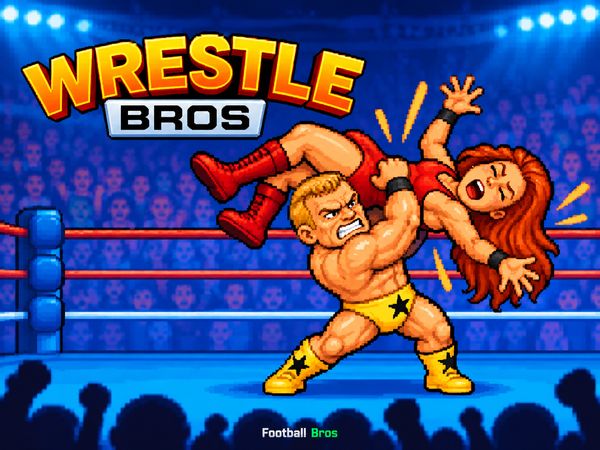
Wrestle Bros turns wrestling into a fast 2D fight filled with ragdoll chaos. Every move can shift the match. A clean hit sends a rival tumbling, while a mistimed jump leaves your wrestler exposed. The result feels quick, physical, and easy to understand.
Blue Wizard Digital built this browser wrestling game around simple keyboard controls. Move with familiar keys, then press one action button to attack or perform a wrestling move. The controls stay light, but good timing still separates a sharp player from a reckless one.
You can play Wrestle Bros online directly in your browser. Start with a few single-player matches to learn movement and attacks. Then bring in a friend for a same-keyboard rivalry. Keep your eyes on the ring, control your position, and start playing here.
Core Mechanics of Wrestle Bros
Ring Positioning and Movement
Movement controls decide where every exchange happens. In single-player matches, use the Arrow Keys to move your wrestler. You can also use WASD Keys for movement. These inputs let you approach, retreat, and adjust your position before committing to an attack.
Do not rush toward the center every time. A small step can create space for a better attack. Move close when you want contact. Step away when your opponent gains the better angle. The ring gives both wrestlers room to change direction, so keep moving instead of holding one position.
Ragdoll physics make positioning even more important. Wrestlers can stumble, fall, and slide after hard contact. That movement changes the next exchange. Watch where your opponent lands, then choose whether to close the gap or wait for a safer opening.
Use short movement bursts during a fight. Long holds often carry your wrestler farther than expected. Tap a direction to make smaller adjustments near an opponent. Those small corrections help you line up body slams, suplexes, and other wrestling attacks.
Movement also shapes your defense. Back away from a poor approach, then return when the distance feels right. Keep your wrestler facing the action and avoid drifting into a corner without a plan. Wrestle Bros rewards players who manage space before pressing the action button.
Strikes, Grapples, and Blocks
Press the Space Bar for the single-player action input. In two-player matches, Player 1 uses G for action, while Player 2 uses L. Pair the action button with movement to start attacks and wrestling moves.
Use attacks at close range. Body slams and suplexes need good timing, so do not press too early. A quick approach followed by an action input creates a stronger chance to connect. Defensive play starts with movement, distance, and careful timing before each exchange.
Watch the opponent’s motion before acting. If they rush, step aside and answer after they pass. If they hesitate, close the space and strike first. Learn the rhythm of contact, then use the action button with more confidence.
Mastering Aerial Slams and Ropes
Top Rope High Flying
The ropes give Wrestle Bros another way to control space. They help you change your height, angle, and distance from the opponent. Treat them as part of your movement plan, not as decoration around the ring. A smart approach can turn a crowded exchange into a clear aerial chance.
Start by watching your opponent’s location. If they stand near the canvas center, move toward the ropes with purpose. If they already occupy that side, avoid charging blindly. Create room first, then look for a clean route toward the high ropes.
Top-rope dives demand timing. Reach the high ropes, wait for a useful opening, then launch the aerial assault. Pressing too soon can waste the chance. Waiting too long can let the opponent move away. The best moment comes when their position stays predictable for a brief beat.
Use movement to set the attack before pressing the action input. The Arrow Keys or WASD Keys control movement in single-player play. In local matches, Player 1 uses WASD, while Player 2 uses the Arrow Keys. These bindings let both wrestlers approach the ropes from separate sides.
Watch the opponent’s recovery after every collision. Ragdoll physics can leave them moving across the canvas. Their body may settle close to the ropes, near the center, or at an awkward angle. Adjust your launch plan instead of repeating the same dive automatically.
Aerial attacks work best when you stay patient. Do not climb or launch simply because the ropes sit nearby. First, use movement to gain a useful position. Then choose the action input when the opponent gives you a clear target.
Landing on the canvas changes the whole exchange. A missed dive can leave your wrestler down while the opponent regains control. A clean aerial slam creates pressure and may let you reach the next attack first. Keep your plan simple: approach, line up, launch, and react.
Practice the spacing in single-player matches before challenging a friend. Learn how far your wrestler travels from the ropes. Notice how quickly the opponent can move away. Once those distances feel familiar, top-rope dives become deliberate attacks rather than desperate gambles.
Use the ropes to vary your offense. A direct attack keeps the opponent guessing, while a high-flying move changes the vertical angle. Mix movement and timing instead of repeating one launch. Wrestle Bros feels strongest when every dive follows a clear reason.
Wrestle Bros Tournament and Multiplayer Modes
Two-Player Same-Keyboard Matches
Wrestle Bros supports local head-to-head matches on one keyboard. Player 1 moves with WASD Keys and uses G for action. Player 2 moves with the Arrow Keys and uses L for action. Each player gets a separate movement and action layout.
That setup keeps local matches quick to start. One player can take the left-side controls, while the other uses the right-side controls. Agree on the bindings before the match begins. Then focus on spacing, attacks, and the opponent’s next movement.
Same-keyboard play creates close rivalries because both wrestlers share one screen. You can watch every approach and react without a delay between players. A short step can beat a large attack. A mistimed action can give the other wrestler control.
Start with basic movement exchanges. Let each player test distance before using bigger wrestling moves. After that, add body slams, suplexes, and top-rope dives. This order helps both players learn the match flow without turning every opening into random button presses.
Use the separate controls to build different habits. Player 1 may prefer quick WASD movement and G attacks. Player 2 may use the Arrow Keys to circle and wait before pressing L. Neither layout gives an automatic advantage. Timing and positioning decide the result.
Keep the match active. Move after a missed attack instead of standing still. Watch how ragdoll physics changes each collision. A funny-looking fall can still create a serious opening for the other wrestler.
Try Wrestle Bros here with a friend, then settle the next match through better timing and smarter ring movement.
Roster Progression and Unlocks
Unlocking Wrestlers and Gear
Wrestle Bros includes an unlockable roster of colorful wrestling characters. Winning matches against CPU opponents lets you unlock new alternate wrestlers. That gives single-player sessions a clear reason to continue after you learn the basic controls.
Focus on steady improvement rather than rushing through each match. Use the Arrow Keys or WASD Keys to control movement, then press Space for the action input. Better spacing helps you create more attacks and avoid careless collisions.
New alternate wrestlers add variety to the roster. Try each available character as you unlock them. Notice how a different look can make familiar matches feel fresh, even when you use the same core controls.
Progress comes from playing matches and earning wins against CPU opponents. Keep your approach simple: move with control, choose safe moments for attacks, and use the ropes when the position makes sense. Then return to the next match and test what you learned.
✨ Key Features of Wrestle Bros
- Fast-paced 2D combat powered by lively ragdoll physics
- Local two-player head-to-head support on a single keyboard
- Varied wrestling arsenal including body slams, suplexes, and top-rope dives
- Unlockable roster of colorful wrestling characters and decorative gear
- Smooth browser-based performance built on modern HTML5 technology
Wrestle Bros FAQs
Can I play Wrestle Bros on mobile devices?
Wrestle Bros opens in a phone browser, but it is played with the keyboard, so a computer works best.
Is there a Wrestle Bros 2?
No. Wrestle Bros 2 has not been released — Wrestle Bros is the newest game in the series.
What are the basic controls for Wrestle Bros?
Browser keyboard: Single Player: Arrow Keys — move; Single Player: Space Bar — action; Player 1: WASD Keys — move; Player 1: G Key — action; Player 2: Arrow Keys — move; Player 2: L Key — action.
Do I need to download Wrestle Bros?
No. Wrestle Bros runs in your browser on this page, with nothing to download or install.
Does Wrestle Bros support local two-player multiplayer?
Wrestle Bros is listed as Singleplayer, Multiplayer.
Conclusion
Wrestle Bros brings arcade wrestling fighting to the browser in an accessible HTML5 package from Blue Wizard Digital. Its appeal is immediate: the focus stays on wrestling action, with movement and action controls that are easy to understand and quick to pick up. Singleplayer gives you a straightforward way to play on your own, while multiplayer adds another way to enjoy the action with others.
Play Wrestle Bros here on this page today.

No comments yet. Be the first to share your thoughts!