Football Masters turns soccer into a fast arcade duel, where cartoon athletes chase quick goals and character abilities can change an attack instantly. Every touch matters when the action moves this quickly. A well-timed kick can beat a defender before they react.
Madpuffers built this 2D arcade soccer game for short, lively matches. You can choose a national team, play alone, or share one keyboard with another player. The two-player setup supports both direct competition and cooperation, so each match can feel different.
Learn the controls, pick the right moment for your special move, then play Football Masters online and test your reactions right here.
Core Match Formats in Football Masters
Solo and Co-op Team Configurations
Football Masters gives you two clear ways to enter a match. Singleplayer lets you handle the action alone, while multiplayer adds another person at the same keyboard. Both options keep the focus on movement, shooting, and fast choices.
Start with a solo quick match when you want immediate practice. This format helps you learn how players move, how quickly the ball travels, and when attacks open space. Use those early games to test your shooting distance without the pressure of a human rival.
Local multiplayer changes the rhythm. Two players can compete head-to-head, with each person controlling a side during the same match. This setup rewards quick reactions, sharp movement, and good reads near the ball. A small mistake can give your opponent a clear path toward the goal.
The same shared keyboard also supports cooperation. Work together when one player pressures the attack and the other reacts to loose balls. Keep your movements simple and avoid chasing the same opening. A clean handoff between players creates better chances than two players crowding one area.
Selectable national teams add a familiar football feel without slowing the arcade pace. The players have caricatured, big-headed designs, and the action stays easy to read during hectic moments. Pick a team, then focus on the match rather than long setup screens.
Quick matches suit short sessions, while tournament play gives your games a larger goal. A tournament championship ladder lets you face a run of matches instead of stopping after one result. That structure makes every game feel more valuable, especially when you want to build momentum across the competition.
Try both formats with a simple plan. Solo play sharpens your personal control. Competitive multiplayer tests your reactions against another person. Co-op play asks for timing and space awareness. Switching between them keeps Football Masters fresh and helps you find the style that fits your strengths.
Mastering Football Masters Controls and Movement
Primary Movement and Shooting Inputs
Football Masters uses direct keyboard controls. One player moves with the WASD keys. The same player shoots with X and activates the special move with Z.
The second control set uses the Arrow keys for movement. That player shoots with L and uses K for the special move. The verified special binding is listed as Z or K, matching the two available player layouts.
Keep movement inputs deliberate. Tap a direction to adjust your angle, then press the shooting key when the goal opens. Holding a direction too long can carry your player past the ball or into a poor shooting position.
Use short movement changes near the ball. Step around an opponent instead of running straight through them. When you gain space, shoot quickly. Waiting for a perfect angle often gives the other player time to recover.
Movement also controls your defensive timing. Track the ball first, then move toward its next path. Do not react only after it reaches the goal area. A small early adjustment can place your player between the ball and an open scoring lane.
Local Two-Player Keyboard Layout
Two players share one keyboard during local multiplayer. Player one uses WASD to move, X to shoot, and Z for the special move. Player two uses the Arrow keys, L to shoot, and K for the special move.
Give each player a clear side of the keyboard before starting. Practice one movement and one shot first. Then add special moves once both players can react without reaching across the other control set.
Signature Special Abilities and Match Tactics
Deploying the Thundershot Ability
Thundershot gives one character a powerful attacking option. The special move key triggers this character-specific ability, which sends an exceptionally strong kick toward the opposing goal. It creates an immediate scoring threat rather than a small change in ball speed.
Use Thundershot after creating a clean shooting lane. Move past the defender, face the goal, and trigger the ability before the opening disappears. A rushed activation may send the attack into pressure, while a delayed one gives the opponent time to block.
Thundershot can overwhelm standard defensive blocking when you time it during an active offensive attack. Build pressure first, then use the special move at the moment the defender commits. This timing forces a choice: challenge the ball or protect the goal.
Do not waste it on every touch. Keep your normal shot ready for simple chances. Save Thundershot for a crowded attack, a sudden gap, or a loose ball that lands in front of the goal. That makes the ability harder to predict.
In two-player games, communicate before using it. One player can draw attention toward the ball while the Thundershot user moves into position. In solo play, create the same effect with a quick direction change. The goal stays the same: open the lane before pressing the special key.
Strategic Positioning with Teleport
Teleport lets its character instantly change locations on the pitch. Use it to intercept a loose ball before the opponent reaches it. You can also recover defensively after losing position.
Teleport creates surprise shooting angles as well. Appear beside an open lane, face the net, and attack before the defense resets. Choose the destination with purpose; sudden movement helps most when it reaches the ball, protects space, or starts a clear shot.
Save Teleport for turning points. A smart reposition can stop a dangerous attack or begin one of your own.
Try Football Masters here and put these special abilities into practice.
Tournament Progression and Victory Conditions
Navigating Tournament Brackets
Football Masters includes full tournament championship ladders alongside quick matches. The ladder gives your national team a longer challenge, with each match contributing to your progress through the competition.
Enter tournament play after learning your preferred movement style. Solo practice can help you understand shooting distance and ball control. Once those actions feel natural, focus on making fewer risky attacks. A tournament rewards steady decisions across its match run.
Treat every opponent as a new problem. Some moments call for a direct shot, while others need patience and better positioning. Watch how the ball moves, protect your space, and use your character’s special ability when it can create a real advantage.
Keep your approach flexible. If a normal attack fails, change your angle instead of repeating the same run. Thundershot can break a strong defensive moment, while Teleport can quickly repair a poor position. Use the tool that matches the situation.
Match Timing and Final Whistle Scenarios
Each match uses two periods lasting 45 seconds each. That short structure keeps the pace high and limits wasted movement. Attack early, but protect your position when the clock runs low.
Use the final moments carefully. A quick shot may secure a lead, while a smart defensive move can preserve it. Stay focused through both periods, because one opening can decide the result.
✨ Key Features of Football Masters
- Fast-paced 2D arcade soccer featuring cartoon bobblehead players
- Selectable national teams competing in solo or two-player setups
- Single-player quick matches and full tournament championship ladders
- Shared single-keyboard local multiplayer for head-to-head or cooperative matches
- Structured matches divided into two 45-second periods
- Instant browser play powered by HTML5 without downloads
How to Play Football Masters
Step 1: Use the game controls
Use WASD Keys to move. Use X Key to shoot. Use Z Key to z or K. Use Arrow Keys to move.
Step 2: Pick Your Country and Character
Select your favorite national team and choose a character equipped with your preferred special ability, such as Thundershot or Teleport.
Step 3: Attack and Defend Across Two Periods
Dribble, shoot on the opposing net, and tackle incoming attackers across two 45-second match periods to maintain a scoring lead.
Step 4: Activate Special Abilities
Press your designated special move key when an opportunity arises to unleash power shots or instant positioning advantages.
Step 5: Secure the Win at Full Time
Defend your goal until the final timer expires to finish with the highest score and advance to the next tournament round.
Football Masters FAQs
Can I play Football Masters on mobile devices?
Football Masters opens in a phone browser, but it is played with the keyboard, so a computer works best.
What are the basic controls for Football Masters?
Browser keyboard: WASD Keys — move; X Key — shoot; Z Key — z or k; Arrow Keys — move; L Key — shoot; K Key — special move.
How long does a match last in Football Masters?
A standard match consists of two distinct periods lasting 45 seconds each. The player or team with the highest score when the final whistle sounds wins.
What special skills can players use during matches?
Characters can unleash unique special abilities during gameplay, such as Thundershot for an exceptionally strong strike on goal or Teleport for instant repositioning.
Can two people play Football Masters together on the same computer?
Yes, the game features local multiplayer where two players share a single keyboard to either battle head-to-head or team up against computer squads.
Conclusion
Football Masters brings arcade soccer to life with focused singleplayer and multiplayer modes from Madpuffers.
With precise movement, clever positioning, and well-timed abilities all working together, Football Masters offers engaging soccer action for solo players and multiplayer matches alike. Play Football Masters right here and put your skills to the test.
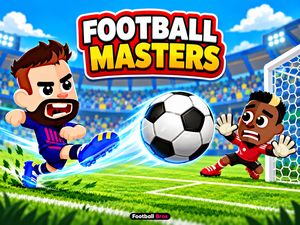
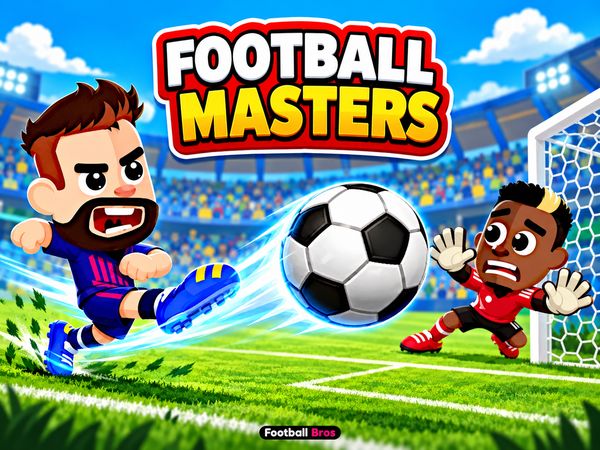
Football Masters Game Image

No comments yet. Be the first to share your thoughts!