Soccer Bros turns 1v1 soccer into a frantic duel of sharp shots, sliding tackles, and wild collisions. Every attack can change direction in seconds. You chase the ball, bump your rival, and strike before they recover. The simple controls keep the action moving.
The match rewards quick decisions more than long setups. A good dribble creates space, but a mistimed kick gives your opponent a counter chance. Sliding tackles add another layer, letting defenders challenge aggressive runs and disrupt possession. Each duel feels fast, physical, and slightly unpredictable.
Use the keyboard, pick a parody football star, and start testing your reactions. Play Soccer Bros online now, then bring in a friend for a tense shared-keyboard battle.
Core Mechanics of Soccer Bros
Pitch Positioning and Dribbling
Start by reading the space around your player. The Arrow Keys move in single-player, while the WASD Keys also provide movement control. Small direction changes help you stay beside the ball instead of chasing it from behind. Keep your player between the ball and the opponent whenever possible.
Dribbling works best when you avoid straight, predictable runs. Shift direction near the opponent, then guide the ball into open space. A sharp turn can force a rival to overshoot. That moment gives you room to approach the goal or prepare a clean strike.
Stay aware of the pitch edges. Tight areas limit your escape routes and make physical contact more dangerous. Move toward open ground before challenging for control. When the opponent closes from one side, steer away early rather than waiting for a collision.
Your movement also shapes every attack. Approach the ball from an angle, not directly behind it. This position helps you keep moving after contact and prevents the opponent from taking the easiest route forward. Watch their body direction, then cut across the likely path.
Good dribbling uses patience for only a moment. Hold the ball long enough to draw pressure, then change direction. Do not circle aimlessly. Each movement should create space, protect possession, or bring you closer to a useful shooting position.
Shooting Trajectories and Striking
Use the kick action when your player has a clear line toward the net. Single-player controls assign kicking or sliding to G, L, or the Space Bar. Time the strike as you approach the ball, rather than pressing too early from a poor angle.
Move before striking to influence the ball’s direction. A sideways approach can open a different lane than a straight run. If the opponent stands between you and the net, wait for their movement to create a gap. Clean timing beats rushed shots.
Defensive Tactics and Slide Tackling
Executing the Sliding Tackle
The Sliding Tackle gives defenders a direct answer to an incoming attacker. Press the dedicated action key to trigger an aggressive slide toward the ball or opponent. In single-player, G, L, and the Space Bar handle the kick or slide action. Choose the input that matches your control setup.
Do not slide from too far away. A distant attempt often misses the ball and leaves your player recovering. Instead, track the attacker’s approach and close the gap first. Trigger the slide when the ball moves slightly ahead of their player.
Defensive positioning matters more than constant tackling. Guard the path toward your net, then force the striker into a narrower angle. This makes their next touch easier to read. When they push forward aggressively, meet the run instead of chasing from behind.
A successful slide can strip possession and reverse momentum. Move toward the loose ball immediately after the challenge. Do not admire the tackle. The opponent may recover quickly, especially if the ball remains close.
Use the action carefully near your own net. A missed slide creates open space at the worst time. Stand between the attacker and the goal first, then commit when the ball enters reach. That order keeps the tackle useful instead of desperate.
Recovering Ball Possession
After a challenge, move toward the ball’s new position. Physical collisions can knock players away, so expect the ball to sit outside your original line. Turn quickly and claim the next touch before the striker resets.
If the opponent keeps possession, protect the goal mouth. Block the direct route and wait for a heavy touch. A rushed attacker may expose the ball while turning. That opening lets you slide, win control, and launch a counter-attack.
Try Soccer Bros here and test your defensive timing in a fast 1v1 duel.
Mastering Two-Player Local Competition
Shared Keyboard Controls
Local competition puts both players on one keyboard. Player 1 uses the Arrow Keys to move. Player 1 presses G or the Space Bar to kick or slide. Player 2 uses WASD for movement and the L key to kick or slide.
Settle into your side of the keyboard before the match begins. Player 1 needs comfortable access to the arrow cluster, G, and Space. Player 2 needs clear access to W, A, S, D, and L. Good hand position prevents avoidable input mistakes during sudden attacks.
Each player should learn their action key through movement first. Run toward the ball, then practice a short kick or slide. This builds control without wasting a scoring chance. After that, start mixing direction changes with the action input.
Shared-keyboard play creates constant pressure. Both players see the same ball and react at once. A small hand slip can turn a safe touch into an open chance. Keep your movements deliberate, especially near the goal.
Communication can help, but it cannot replace timing. Call out a challenge if you play casually together. Stay focused on your own player during the actual exchange. The fastest reactions usually decide who reaches the loose ball first.
Direct 1v1 Matchup Dynamics
Direct competition makes every possession personal. One player attacks while the other blocks the route, then the roles change instantly after a tackle or collision. Watch habits closely. If your rival always cuts inside, guard that lane before they reach shooting range.
Mix patience with sudden pressure. Hold position when the opponent rushes, then challenge after their touch moves wide. On offense, vary your approach so the defender cannot predict every strike. That simple mind game keeps couch-play matches intense.
Roster Personalities and Player Selection
Parody Soccer Legends
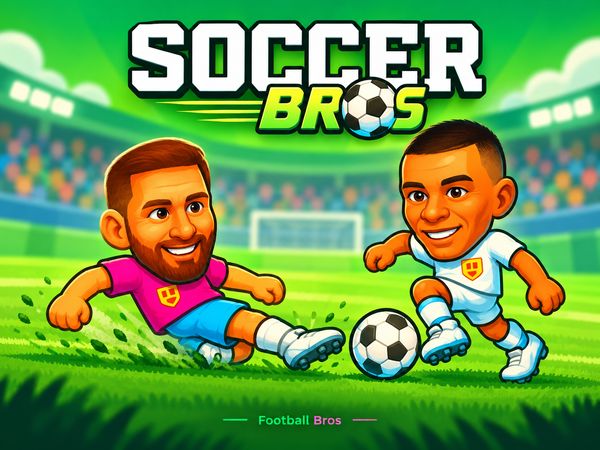
The roster uses comical caricatures inspired by famous football stars. Lion Messy and Chris Ronald give the lineup its playful edge. Their names point toward familiar soccer icons without turning the match into a serious simulation.
These figures make each duel feel like a small sports comedy. A serious-looking attack can end with a collision, a wild slide, or a sudden change of possession. The exaggerated player physics add to that light, chaotic style.
Character choice also shapes the mood of a match. Pick the figure that fits your attitude, whether you prefer calm control or loud, aggressive pressure. Then let your movement and timing create the real identity of your player.
Do not expect the roster to replace good fundamentals. A funny character still needs smart positioning. Protect the ball, watch the defender, and choose your strike carefully. Flair works best when your basic decisions stay sharp.
Choosing Your Playstyle
Choose a patient style if you enjoy drawing defenders forward. Use quick direction changes if you prefer sudden attacks. Aggressive players can challenge early with the Sliding Tackle, but they must recover quickly after a miss.
Try different figures while focusing on your decisions, not appearances alone. The strongest pick is the one that keeps you comfortable during hectic exchanges. Build your style around movement, pressure, and well-timed strikes.
Scoring Strategies in Soccer Bros Duels
Creating Open Shooting Lanes
Look for scoring chances before you reach the goal. A defender who overcommits can leave a lane open behind them. Cut away from their charge, then move into the space they abandoned. That brief gap may provide enough room for a clean strike.
Physical collisions can also create rebounds and loose balls. Stay close after contact instead of retreating immediately. The ball may fall into a useful position for either player. React first, then kick while the opponent is still recovering.
Use the goal mouth carefully. A crowded area invites rushed decisions, yet it also creates chances after a block or collision. Move laterally to change the angle. A small shift can separate your player from the defender’s path.
Defensive overcommitment remains one of the clearest openings. If a rival slides early, step away from the challenge and attack the space behind it. If they guard one side, approach from the other. Force them to turn before you strike.
Penalty Kicks and Goal Mouth Chaos
Penalty kicks demand a calm approach. Watch the goal mouth and choose your direction before pressing the action key. Avoid rushing into contact, since the crowded area can produce sudden rebounds.
During the scramble, stay active after every collision. A blocked attempt may fall nearby. Move onto the rebound quickly and strike again before the defense regains its shape.
✨ Key Features of Soccer Bros
- Fast-paced 1v1 arcade soccer gameplay
- Local 2-player shared keyboard multiplayer
- Parody character roster featuring famous soccer stars
- Dynamic physical collisions and sliding tackles
- Instant browser play with no downloads required
How to Play Soccer Bros
Step 1: Use the game controls
Use Arrow Keys to move. Use WASD Keys to move. Use G Key to kick or slide. Use L Key to kick or slide.
Step 2: Select Your Match Mode
Choose between taking on the computer in single-player or challenging a friend in local two-player mode.
Step 3: Pick Your Character
Browse the roster of quirky soccer characters to select your preferred competitor for the pitch.
Step 4: Control Movement on the Pitch
Navigate your player around the arena using the directional Arrow Keys or WASD to approach the ball.
Step 5: Tackle and Strike to Score
Press your action key to slide tackle ball carriers on defense, or kick powerful shots into the opponent's net to score.
Soccer Bros FAQs
Is there a Soccer Bros 3?
No. Soccer Bros 3 has not been released — Soccer Bros is the newest game in the series.
What are the basic controls for Soccer Bros?
Browser keyboard: Single Player: Arrow Keys — move; Single Player: WASD Keys — move; Single Player: G Key — kick or slide; Single Player: L Key — kick or slide; Single Player: Space Bar — kick or slide; Player 1: Arrow Keys — move; Player 1: G Key — kick or slide; Player 1: Space Bar — kick or slide; Player 2: WASD Keys — move; Player 2: L Key — kick or slide.
Can I play Soccer Bros on mobile devices?
Soccer Bros opens in a phone browser, but it is played with the keyboard, so a computer works best.
Do I need to download Soccer Bros?
No. Soccer Bros runs in your browser on this page, with nothing to download or install.
What is Soccer Bros?
Soccer Bros is a fast-paced 1v1 arcade football game. Players steer stylized soccer caricatures across compact pitches to execute slide tackles, fire powerful shots, and outscore rivals.
Does Soccer Bros support two players on one computer?
Yes. The game features a dedicated two-player local mode where both competitors share a single keyboard using distinct movement and kick bindings.
Conclusion
Soccer Bros is a 2024 arcade sports game that delivers direct, energetic football action in your browser. Available in singleplayer and multiplayer, it keeps the controls accessible: move with the Arrow Keys or WASD Keys, then use the G Key, L Key, or Space Bar to kick or slide. The signature Sliding Tackle adds satisfying defensive strategy, letting you disrupt dribbling, strip possession, and quickly turn an opponent’s momentum into a counter-attack.
With responsive movement and meaningful timing, Soccer Bros rewards both sharp reactions and smart challenges. Whether you want to practice in singleplayer or compete in multiplayer, its focused design makes every possession feel important. Jump into the action and play Soccer Bros right here on this page.

No comments yet. Be the first to share your thoughts!