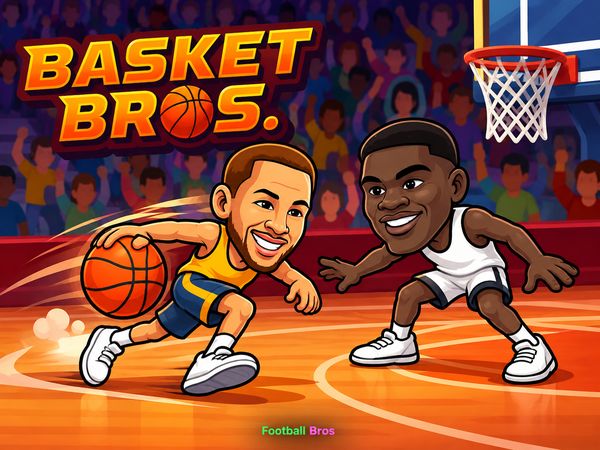
Basket Bros turns basketball into a fast 1v1 clash of dunks, three-pointers, and punches. Blue Wizard Digital built it for quick arcade sessions with instant pressure. Every possession can become a scoring chance or a physical battle.
The game keeps its core idea simple. Move into space, attack the basket, and protect your lead. A high-flying dunk can change the score quickly, while a long-range shot creates danger before you reach the rim.
Want a quick contest with real rivalry? Play Basket Bros online here and test your timing. The controls stay compact, but good movement separates a rushed attempt from a clean finish.
What Is Basket Bros?
Arcade Basketball Design
Basket Bros uses a sports arcade format built around 1v1 basketball. Two players share the court and fight for scoring chances. The action moves quickly, so you must attack and defend within the same short exchange.
Each match mixes familiar basketball goals with direct physical pressure. You can drive toward the basket, launch a three-pointer, or challenge the other player with a punch. That blend gives every possession two threats: score cleanly or knock your rival away first.
Dunks bring the most dramatic moments near the rim. Long-range shooting creates a different kind of pressure. A player who stays too close to the basket may leave open space, while a player who guards the perimeter can invite a drive.
The design favors quick decisions over long setups. You do not need a large move list to make an impact. Instead, you read the opponent, choose a lane, and commit before the next exchange starts.
That simple structure gives Basket Bros its pick-up-and-play feel. New players can understand the goal at once. Experienced players gain an edge through better movement, shot timing, and physical challenges.
Match Objectives
Your main objective is simple: score more points than the opposing player. Dunks and three-pointers give you different ways to build that advantage. The score can swing fast when one player finds space or wins a physical exchange.
Keep your attacks varied. Repeating one approach makes your movement easier to read. A strong match flow shifts between pressure at the rim, outside shooting, and defensive contact.
Basket Bros Controls and Movement
Single-Player Layout
Use WASD to move in the single-player layout. Press G for Shoot / Stunt / Block. These two keyboard inputs cover movement and the main action choices listed for one player.
Start by learning movement without chasing the ball blindly. Small changes in position help you reach a driving lane or close space around a shooter. Keep your character aligned with the play, then press G when the action calls for a shot, stunt, or block.
Movement matters most before the button press. Walk toward the basket before attempting a dunk. Step into open space before taking a long-range shot. On defense, stay close enough to challenge without losing your position.
The layout rewards clean timing. Holding a direction too long can carry you past the useful angle. Tapping movement keeps your approach controlled and helps you react when the opponent changes direction.
Practice one action at a time. First, move across the court with WASD. Next, add G near the basket. Then test the same button from outside. This builds control without turning every possession into a rushed attempt.
Two-Player Local Controls
Shared-keyboard matches give each player a separate control set. Player 1 uses WASD to move and G for Shoot / Stunt / Block. Player 2 uses the Arrow Keys to move and L for Shoot / Stunt / Block.
Keep the layouts clear before the match begins. Both players need fast access to movement and action keys. Once play starts, focus on spacing and timing rather than reaching across the keyboard.
Start a local Basket Bros matchup here and see which control set feels more natural.
Offensive Strategies for Scoring
Executing Dunks
Dunks work best when you reach the basket with room to act. Move toward the rim, watch the defender, and choose the finish before contact arrives. A direct approach often gives the opponent less time to respond.
Do not force every drive into a dunk attempt. First, create a clean lane with movement. If the defender stands between you and the rim, adjust your path instead of running straight into pressure.
Use short movement changes near the basket. A small angle shift can open the space needed for a stronger approach. Keep the final move deliberate, then use the Shoot / Stunt / Block input to complete the attack.
Dunks also create a clear risk for the defender. Guarding the rim demands close attention, especially when you approach at speed. If the opponent focuses too heavily on blocking the dunk, the outside court may become available later.
Mix patience with sudden attacks. Move into position, pause for a brief read, then drive when the lane looks better. This keeps your offense from becoming predictable and helps you choose better moments for high-flying finishes.
Hitting Outside Jumpers
Three-pointers punish defenders who watch only the rim. Move into open space, create a little distance, and take the shot before the opponent closes in. A quick outside attempt can keep the defense moving.
Use outside shooting as a change of pace. After several drives, step away from the basket and look for a three-pointer. After showing long-range danger, attack the rim when the defender backs away.
Defensive Tactics and Physical Disruptions
Blocking Incoming Shots
Protect the basket by reading the attacker’s path. Stand between the opponent and the scoring area when possible. This position gives you a better chance to challenge a drive before it becomes a dunk.
Use the Shoot / Stunt / Block input when the shot arrives. The same action key supports defensive timing, so movement must set up the challenge. Move close first, then press the input as the opponent commits to the attempt.
Do not chase every movement fake. A defender who follows every turn can lose the rim completely. Hold a useful position, watch the attacker’s direction, and react when the scoring attempt becomes clear.
Outside shots require a different response. Close the gap before the opponent settles into open space. A late approach may leave enough room for a clean three-pointer.
Good blocking starts before the final button press. Track the lane, guard the dangerous angle, and keep your character ready for a sudden drive. That discipline makes the defensive action more useful than random button presses.
Punching and Physical Steals
Physical melee strikes form a real part of defense. Use a punch to knock the opponent off the ball and disrupt possession. This can break an attack before the shooter reaches a useful position.
Choose contact carefully. Move close enough to make the strike matter, then press the action input. Physical pressure works best when it interrupts a clear scoring attempt rather than replacing all movement.
Basket Bros Game Modes and Roster
Tournament and Match Types
Basket Bros supports single-player and multiplayer action. Solo play lets you focus on movement, shooting, and defensive timing. Multiplayer adds direct competition, with each player reacting to a human opponent’s choices.
Local multiplayer uses a shared keyboard. Player 1 takes the WASD and G controls, while Player 2 uses the Arrow Keys and L. That setup keeps both players in the same match and turns every possession into a direct contest.
Tournament progression adds another structure beyond individual matchups. You move through tournament play while competing in the arcade basketball format. The roster also includes unlockable characters, giving progression a clear place within the game.
Unlocking New Characters
Tournament progression includes unlockable characters such as Step Flurry. That gives repeat matches an extra goal beyond the score. Keep playing through tournament progression to experience more of the available roster.
You can also follow the Bros link for related game content.
✨ Key Features of Basket Bros
- Fast-paced 1v1 arcade basketball action
- High-flying slam dunks and long-range shooting
- Physical combat elements allowing players to punch opponents
- Shared-keyboard two-player competitive matches
- Tournament progression with unlockable characters like Step Flurry
How to Play Basket Bros
Step 1: Use the game controls
Use WASD to move. Use G to shoot / Stunt / Block. Use Arrow Keys to move. Use L to shoot / Stunt / Block.
Step 2: Select Your Character
Choose your basketballer from the available roster on the main menu.
Step 3: Win the Opening Tip
Jump toward the center of the court as the referee tosses the ball to claim initial possession.
Step 4: Attack the Basket
Dribble past your opponent, drive into the paint for a high-flying dunk, or step back to shoot a perimeter jumper.
Step 5: Defend and Force Turnovers
Time your jumps to swat away opposing shots or punch the ball handler to knock the basketball loose.
Step 6: Secure the Win
Maintain the point lead until the match timer runs out to claim victory.
Basket Bros FAQs
What are the basic controls for Basket Bros?
Browser keyboard: WASD — move; G — shoot / stunt / block; Arrow Keys — move; L — shoot / stunt / block; WASD — move - player 1; G — shoot / stunt / block - player 1; Arrow Keys — move - player 2; L — shoot / stunt / block - player 2.
Can I play Basket Bros on mobile devices?
Basket Bros opens in a phone browser, but it is played with the keyboard, so a computer works best.
Is BasketBros a multiplayer game?
Basket Bros is listed as Singleplayer, Multiplayer.
Conclusion
Basket Bros stands out as a straightforward Sports Arcade experience from Blue Wizard Digital, offering both singleplayer and multiplayer modes. Its appeal comes from simple, accessible controls that let you focus on the action without unnecessary complexity.
Whether you want a solo session or a match with a friend, Basket Bros delivers a flexible and entertaining sports experience. Play Basket Bros here and enjoy the action on this page.

No comments yet. Be the first to share your thoughts!